Sustainability Assessment Tools

The En-ROADS Climate Simulator is a transparent, freely-available policy simulation model that provides policymakers, educators, businesses, the media, and the public with the ability to explore, for themselves, the likely consequences of energy, economic growth, land use, and other policies and uncertainties, with the goal of improving their understanding. (Source: “ClimateInteractive“)

Try out the “Climate Simulation Model” here!


Climate Action Tracker: The Climate Action Tracker (CAT) is an independent scientific analysis produced by two research organisations tracking climate action since 2009.
We track progress towards the globally agreed aim of holding warming well below 2°C, and pursuing efforts to limit warming to 1.5°C.

Try out the “Climate Action Tracker” here!

Find your country.  Are they Paris Agreement Compatible, Almost Sufficient, Insufficient, Highly Insufficient, Critically Insufficient?  Whatever the result – Make some NOISE!!  (Source: “Climate Action Tracker“)


The Carbon Footprint Calculator: Show you care for the environment and communities across the World by Carbon Offsetting.

Try out the “Carbon Footprint Calculator” here!

You can support Carbon Offsetting Projects that both tackle climate change and support impoverished communities across the world. Just click the ‘Offset’ button after you have finished your calculation. It takes only a few easy clicks and costs only a few Pounds/Dollars/Euros per tonne CO2. (Source: “Carbon Footprint Ltd“)


Company ESG Ratings: A useful tool to check a company’s Environmental, Social & Governance credentials.

Try out the “Sustainalytics ESG Risk Rating Tool” here!

Sustainalytics’ ESG Risk Ratings offer clear insights into the ESG risks of companies.
(Source: “Sustainalytics“)
On-line App Guide

Table of Contents

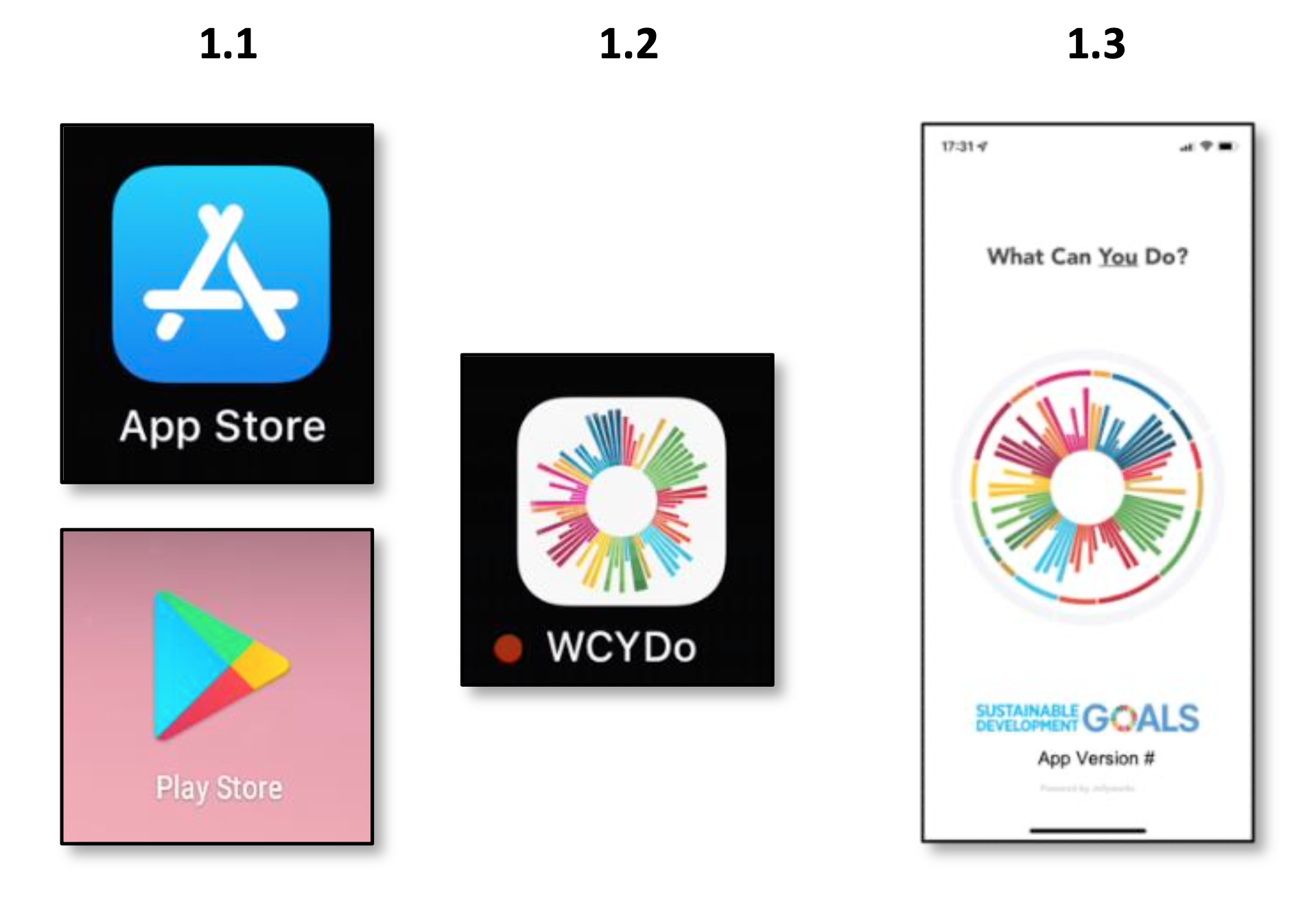
Opening The App

1.1. Download WCYDo from your local App Store for around US$1.99 (or equivalent plus local taxes) – a symbolic amount close to US$1.90 – the daily income of 10% of the World’s population living in “Extreme Poverty”1.

1.2. Tap the WCYDo icon and “Start making a difference!”

1.3. It all starts here – WCYDo works in Portrait Mode and works best on a Smartphone with a good Internet connection.

“Table of contents“

Explore SDGs / Learn Facts

2.1  Use the Spinner or directly select a Sustainable Development Goal (SDG) – it’s up to you. Take a look at our “5Ps” Special Event Button – People, Prosperity, Peace, Partnerships, Planet!

2.2. Review the Facts & Figures, Targets, WCYDo videos, SDG Memes and a list of Actions you could take.

2.3. SHARE with your friends via Social Media and Make some NOISE!

“Table of contents“

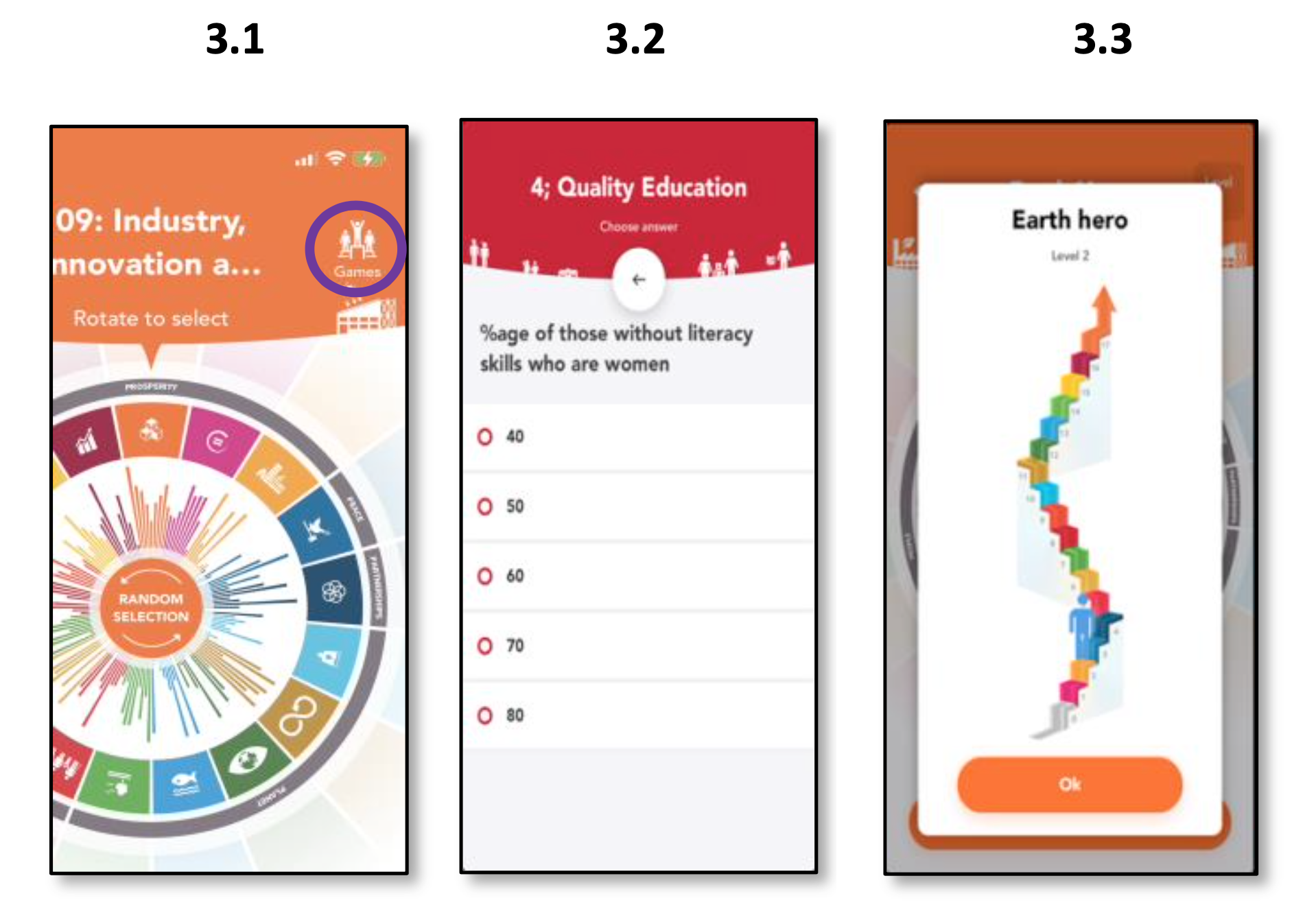
Try the QUIZ / Test your Knowledge

3.1. Tap the “Games” icon and test your SDG knowledge!

3.2. Take the QUIZ yourself or in a competition with your friends – buy the winner something from our on-line store!

3.3  Register, and Answer Questions / Give Correct Answers and you can climb the staircase on WCYDo’s HERO Wall!!

“Table of contents“

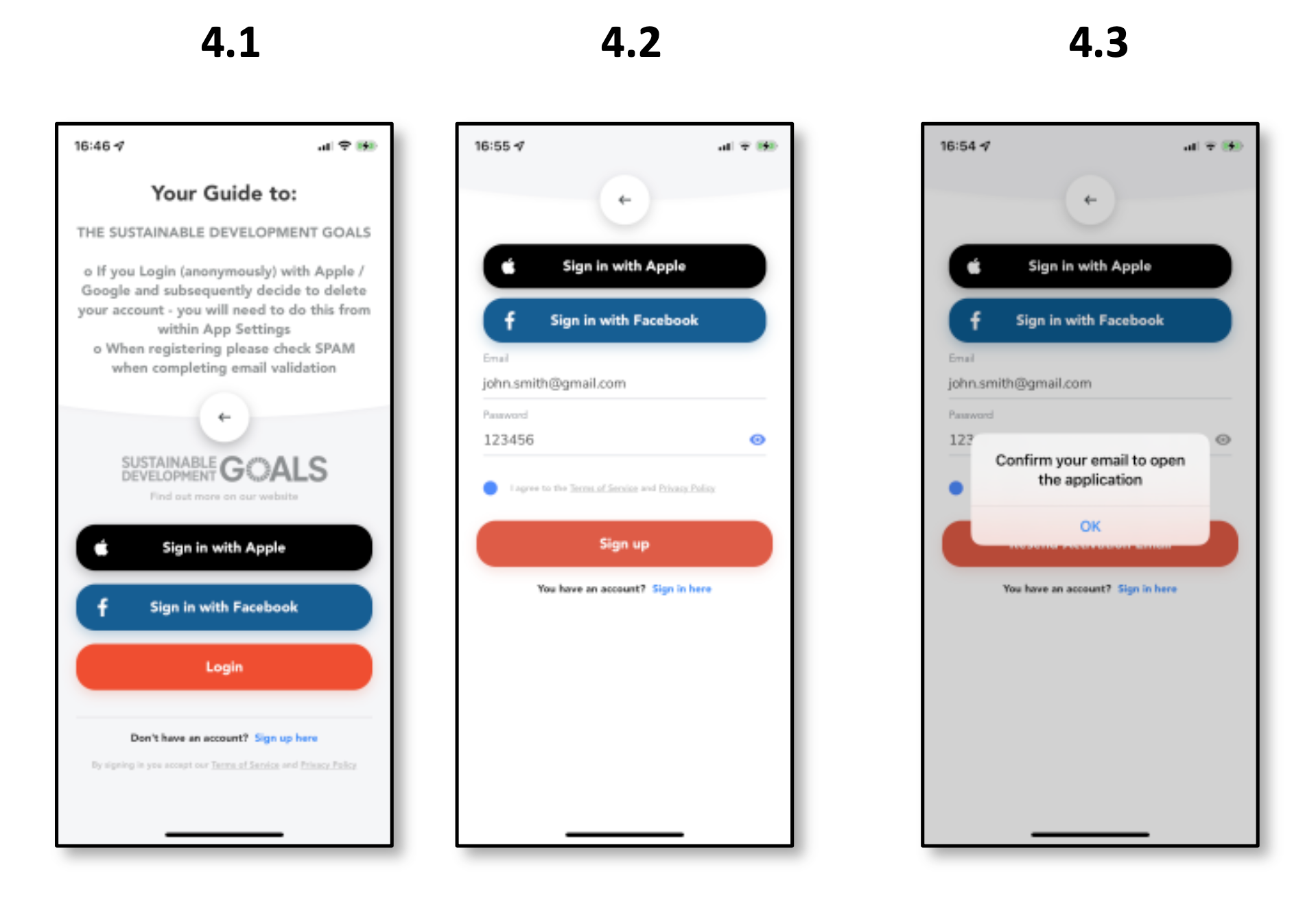
Register for More Options

4.1  Sign in with Facebook, your email address or Apple / Google accounts (if you have them).

4.2. If you haven’t set up an account “Sign up here”. Don’t forget to Review / Accept our Terms of Service & Privacy Policy – these are important!

4.3. First time Users will need to confirm their email address – just making sure it’s you! When Registering please remember to check your SPAM folder.

“Table of contents“

Taking Action / Monitoring Progress

5.1  Choose up to 7 Actions from your favourite SDGs. “Sharing the App with friends” is pre-selected – we need all the support we can get! Actions are “weekly” / “4-weekly” commitments.

5.2. Once you’ve committed to your Actions, they’re fixed unless you reset them in Settings. However, once you start recording – best not reset them!

5.3. Each week WCYDo asks what you’ve done. Use the big middle button to record your Completed Actions. If you didn’t manage every Action – never mind – try again next week!

“Table of contents“

Share by Social Media

6.1  After each 4-week period we fill up your annual progress summary and start the next Period!

6.2. Tap the “fuel gauge” icon to monitor your week-by-week Progress – Share with your friends to show you‘re doing something!

6.3. Obviously, you’ll need your own Social Media accounts – Make a statement, involve your friends!  If enough people take small Actions, together we CAN make a difference!

NB: Access App Settings via the icon Top Right.

“Table of contents“

Deleting App Account and Data

7.1 Log into the WCYDo App – if you haven’t registered you don’t have an account and we don’t hold any data! Tap Settings (Top Right see 6.3 above).

7.2 Scroll down and Tap “Delete My Account”.

7.3 Confirm you want to delete your account and it’s all done.

The WCYDo App will reopen in “Awareness Only” mode ie your login credentials will no longer work but you can still anonymously review the SDG information. 

NB: If you wish to remove the App refer to your mobile phone instructions.

“Table of contents“